The old rules had a good run. Wake up at 5AM. Fill every hour. Buy a better planner. Color-code your calendar. Hustle now, rest never.
Here's what nobody in the productivity industrial complex wants to admit: most of that advice was just repackaged busyness. It made you feel productive without making you more effective. In a world where your apps and automations can handle more of the grind than ever before, the old rules don't just feel outdated, they are a waste of your time.
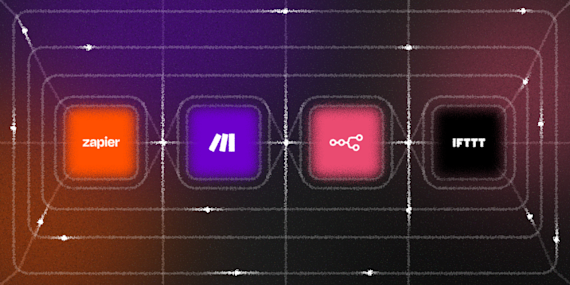
These are the new rules. They're not about doing more. They're about building systems so good that the doing mostly takes care of itself. IFTTT is here to make integration easy and to actually get you off your devices. It connects your apps to each other in minutes, giving you back time in your day, every day. You can try IFTTT for free in a few quick clicks.

Rule 1: Stop being the messenger between your own apps
Think about how much of your day is just moving information from one place to another. A file lands in your email then you save it to Drive. A task comes up in conversation then you type it into your to-do app. A meeting ends then you update your notes. A song catches you then you try to remember to write it down.
None of that is real work, it's administration. And administration is the enemy of focus.
The new rule: if you're manually copying something from one app to another, that's a system failure, not a task. Every time you catch yourself doing it, that's a signal to automate it. Gmail attachments should save themselves to Google Drive. Liked songs should log themselves to Notion. New tasks should sync themselves across your tools.
Every time you catch yourself manually moving information between apps, that's the automation you're missing, not a discipline problem.
-
Sync Toodledo Tasks to iOS Remindersby
 112
112
-
-
Sync Buffer posts with Google Calendarby
2.02k
-
-
Automatically sync new files added to Dropbox to your Google Driveby
19.2k
-
-
Sync new iOS Contacts to Google Contactsby
15.4k
-
-
Automatically sync your Soundcloud likes to your Spotifyby
38.7k
-
-
Sync Evernote and Todoistby
7.16k
-










Rule 2: Let the information come to you
There's a version of productivity where you check the weather app, the news, your fitness stats, your calendar, your emails, and your messages, all before you're out of bed. You've consumed a ton of information and made approximately zero progress on anything that matters.
The old model was pull: you go fetch information when you need it. The new model is push: the right information finds you, at exactly the right moment, and only when it's relevant.
You shouldn't have to remember to check whether it's going to rain. Instead, your phone should tell you the night before. You shouldn't have to check whether your fitness or your sleep is on track, your calendar should carve out recovery time when your body needs it.
Pull systems demand your attention on their schedule. Push systems earn your attention only when they have something worth saying. The difference sounds small, but you'll notice it right away.
-
Get an IFTTT notification for missed Android callsby
4.69k
-
-
Get IFTTT notification for new Google Calendar eventsby
6.16k
-
-
Rain tomorrow? Get a mobile notificationby
505k
-
-
Create Google Calendar event when Oura Ring sleep is lowby
2
-


Rule 3: Protect your focus
Every productivity guru will tell you focus matters. Almost none of them will tell you the real threat to your focus is the tools you use every day.
Slack wants you to respond immediately. Email wants to be checked constantly. Every app has a badge, a ping, or a red dot demanding attention. Managing all of these apps takes its own chunk of focus.
The new rule: automate your boundaries. When a meeting starts, send a message to let your team know you are unavailable. When you sit down for a deep work block, your devices should know. When the meeting ends, everything snaps back. Your focus shouldn't depend on you remembering to protect it, the system should do that by default.
-
Press a Button to Schedule Do Not Disturb on Google Calendarby
9.85k
-
-
Post to Slack when a Google Calendar event is about to startby
135
-
-
Pause iRobot when a Zoom meeting startsby
50
-
-
Mute Android ringtone when Google Calendar meeting startsby
9.63k
-




Rule 4: Build a record of your life, without the work
High performers keep journals, log their workouts, and track their habits to stay accountable. This sounds like a good idea and is abandoned within three weeks because life gets in the way and manual logging is just one more manual thing on the list.
The new rule: if a record is worth keeping, it should keep itself.
Your runs and rides should log to a spreadsheet the moment they're done. Your time should be accounted for without needing constant updates. Your expenses and best ideas should log themselves.
The people who seem to have incredibly detailed records of their own lives aren't more disciplined than you. They've just built better pipes between their apps.
-
Track time at locations with Google Sheetsby
158k
-
-
Save new Raindrop.io bookmarks to Notionby
350
-
-
Save new Strava activities to Day One journalby
4.07k
-
-
Log Oura Ring readiness to Airtableby
4
-




Rule 5: Your off switch should be automatic
Everyone talks about morning routines. Nobody talks about evening ones, which is strange, because how you end the day determines how the next one starts.
The reason most people can't switch off isn't because they don't want a break. It's that "finished" is never clearly defined. There's no bell, no whistle, no moment where the day formally ends. You close a laptop and the work just follows you in your pocket, on your wrist, or in the back of your head at dinner.
The fix isn't meditating harder or leaving your phone in another room. It's building a system that closes the day for you. At 6PM, your work Slack goes quiet. Your smart lights shift from bright white to warm amber, telling your brain it's evening without you having to say a word. Your phone stops forwarding work emails. A notification fires with the three things you actually finished today, so the day has a shape and a full stop.
You wouldn't leave a meeting running in the background endlessly. Don't do it to your day.
-
Turn off Philips Hue lights when Withings Sleep detects you’re in bedby
2.32k
-
-
Log Withings Sleep bedtime to Google Sheetsby
1.76k
-
-
Mute Android ringtone automatically at bedtimeby
191k
-
-
Get IFTTT notification to silence phone dailyby
66
-


Be more productive with IFTTT
Each rule says the same thing in different ways: the best version of your day isn't the one you grind for 24/7, it's the one you design in advance with systems that support your goals.
Less hustle. More automation. Build it once, and let it run.
The Applets above are just a starting point. IFTTT connects 1000+ services in millions of unique ways. Create custom automations that make your life easier.