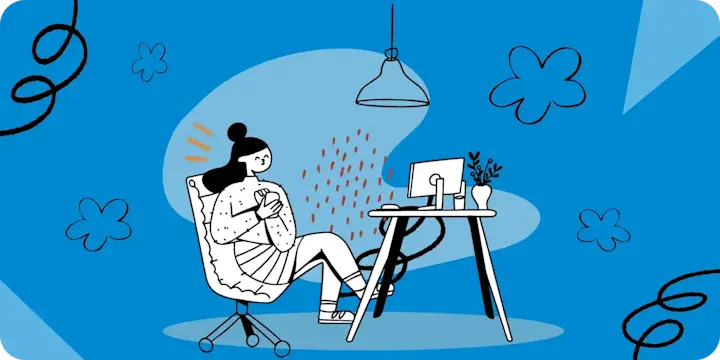
You know that feeling when you open your phone's photo library and have to scroll for three straight minutes to find that screenshot from last Tuesday? Or when your storage is so full that you can't take a picture without your phone staging an intervention? Yeah, we've all been there.
Spring cleaning isn't just for closets anymore. Your digital life needs a good Marie Kondo moment too, and unlike that junk drawer you've been avoiding, this one actually won't take all weekend. Our devices have become digital hoarders, collecting every meme, every screenshot of a recipe you'll "definitely make later," and every accidental photo of your ceiling. But here's the thing: a cleaner phone isn't just about freeing up storage. It's about freeing up your mental space too.
That's where IFTTT (If This Then That) comes in. Instead of spending hours manually organizing, backing up, and cleaning your digital life, you can automate the whole process. It connects your photos, cloud storage, and devices to work together seamlessly, so your files back themselves up, your photos organize automatically, and your phone stays clutter-free without you thinking about it.
Start a free trial of IFTTT Pro and unlock even more ways to automate your digital spring cleaning. Whether it's setting up smart photo workflows or creating custom file organization systems, you'll have everything you need to keep your tech running smoothly all year long.

Your photos are out of control (and that's okay)
Let's start with the elephant in the room or more accurately, the 14,000 elephants in your camera roll. Your photo library has become a messy scrapbook of your entire existence: actual good photos mixed with blurry shots, screenshots of tweets, pictures of parking spots, and that one photo of a paint swatch you needed to remember but definitely don't anymore.
The problem isn't just the volume, it's that everything lands in one giant pile. Selfies mixed with screenshots, vacation photos buried next to random receipts, and good luck finding anything without scrolling for ten minutes. With automation, you can let your photos organize themselves into the right albums automatically while also backing up to the cloud.
-
Save front camera photos to iOS Photos Selfies album
-
-
Add hometown photos to a specific iOS Photos album
-
-
Add new iPhone screenshots to a chosen album
-
-
Automatically back up your new iOS photos to Google Drive
-
-
Email Android screenshots to yourself automatically
-




Back up like your digital life depends on it (because it does)
Pop quiz: When was the last time you backed up your files? If you had to think about it for more than three seconds, that's your answer right there.
A failed hard drive, a lost phone, or a security incident can wipe out more than you expect. All those documents, projects, memories, and that novel you've been working on, just gone. The thing about backup is that it only matters when something goes wrong, and by then it's too late to start.
Modern backup doesn't require you to remember anything. Set up automatic syncing between your cloud services, and your files will copy themselves to multiple locations in the background while you focus on literally anything else. Dropbox to Box, Dropbox to OneDrive, important videos saved from YouTube, all of it can happen without you having to do a thing.
-
Save new Dropbox files to Box
-
-
Backup Dropbox files to QNAP Device
-
-
Save liked YouTube videos to Google Drive

-


Organize your files (because "downloads" is not a filing system)
Be honest: do you know what's actually in your Downloads folder right now? Of course you don't, nobody does. It's a jumbled mix of PDFs you definitely needed once, random images, installation files from 2019, and approximately 47 files named "finalFINALversion2_actualfinal.docx."
But here's the real issue: your photos. Thousands of them sitting there with names like "IMG4729.jpg" and "DSC0042.jpg," completely meaningless strings of characters that tell you nothing about what's actually in the picture. Good luck finding that specific sunset photo from last summer when you have 600 files that all look identical in the file browser.
Instead of manually renaming files one by one (which you'll never do), set up automation that gives every photo a real, descriptive name the moment it's taken.
-
Name new iOS Photos automatically and save to Google Drive

-
-
Save Android photos to Google Drive with Claude naming
-
Declutter your phone
Your phone is supposed to make your life easier, but somewhere along the way it became a source of constant interruptions, forgotten tasks, and notifications you don't actually care about. Between the hundreds of accidental screenshots you never deleted, the constant buzzing from apps you barely use, and the reminders that never quite sync where you need them, your phone has turned into more of a distraction than a tool.
This is where automation helps you take back control. Set your phone to clean up those accidental screenshots, mute itself when you're somewhere you need focus, and sync reminders across your apps so you actually see them when it matters.
-
Add iOS Reminder when a new screenshot is taken
-
-
Add Todoist task from a new Note widget entry

-
-
Mute your phone when you arrive somewhere
-




Your digital fresh start
So you've done it. Your photos are organized, your files are backed up in multiple places, your digital life has some semblance of structure, and your phone is literally clean enough to eat off of (please don't).
Everything’s easier when your files stay organized. You find things faster, your phone feels lighter, and you’re not stuck cleaning up later.
IFTTT makes it simple: use already published Applets or create custom workflows in seconds. No coding, no tech expertise, just pick your trigger and action.
Start a free trial of IFTTT Pro and start automating!