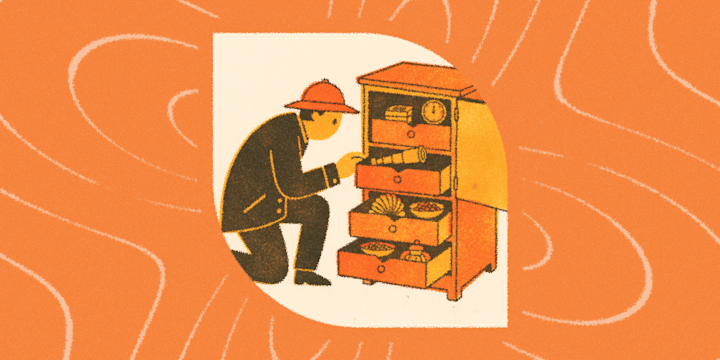
You have a reading app. Actually, you have four. You subscribe to eleven newsletters, follow sixty RSS feeds, and maintain a "to read" list that hasn't shrunk since 2022. Call it a habit. Call it a problem. Either way, you're not stopping.
That's where IFTTT comes in. It connects over 1000 apps and services so your reading, note-taking, and publishing all work together automatically. Your highlights go somewhere useful, your ideas become tasks, and your writing reaches people without you having to do every step by hand.

Over-subscribed and under-read
A newsletter lands in your inbox at 7AM. You swipe it away to read later. Three days pass. It's gone. A great piece shows up in your Feedly, you save it, and somehow it still doesn't make it anywhere useful. You clap for a Medium post that you'll definitely come back to and, of course, never do.
The issue isn't how much you're reading. It's that the reading is scattered across too many places, and nothing is automatically routing it to where it can actually be useful.
IFTTT fixes the pipeline. When something hits Feedly, it flows directly to where you do your real thinking. When you recommend something on Medium, it goes to your reading queue without a second click. When you save something to Instapaper, it feeds into the places where you actually review your reads.
-
Add Feedly saved articles to iOS Reading List
 139
139
-
-
Save recommended Medium posts to Instapaper
374
-
-
Save RSS Feed items to Readwise
-
-
Add Instapaper saves to Readwise highlights
-





Let AI read it for you
Here's the uncomfortable truth about the chronically curious: subscribing to more is easier than reading more. Your RSS feed doesn't care how busy you are. It just keeps filing things.
And somewhere in that pile is a piece worth your full attention. You just can't find it without reading everything around it first.
This is what AI is actually good at. Not thinking for you, but doing the triage so you can do the thinking. An AI summary lands in your inbox, you scan it in thirty seconds, and you know immediately whether to go deep or move on. The ones worth reading, you still will. The rest, you've already handled.
-
Email RSS post summaries as new items publish
388
-
-
Email Gemini summary for Feedly saved articles
9
-
-
Add new Longreads posts to your weekly email digest
59
-





Saved, never to be found again
You highlight things because a sentence stops you cold. Because an idea clicks. Because you know, in the moment, that you'll want this later.
And then you never find it again.
The fix is making your highlights do something the second they're created. They should land in a place you actually check, organized the way your brain works. That might be a running Google Sheets log, a daily digest in Readwise, a bookmark collection in Raindrop.io, or your Slack channel for the team you share ideas with.
-
Log Readwise highlights to Google Sheets
3
-
-
Save new RSS feed items to Day One journal
188
-
-
Save new Instapaper articles to Raindrop.io bookmarks
738
-
-
Post to Slack when Substack user publishes
-




A highlight without a next step is just a pretty color
There's a specific frustration when you read something and think I should do something with this and then don't. Not because you forgot to care, but because "do something with this" requires you to open another app, create a task, and do it manually every single time.
Two extra steps is all it takes for a good idea to become a forgotten one.
When a highlight gets you thinking, IFTTT can route it directly into your task manager or knowledge base. No friction between the thought and the follow-through. The idea becomes a task, a note, or a reminder before you've even finished the sentence.
-
Create Notion.so page for new Substack posts
1
-
-
Create Todoist task from new Readwise highlight
-
-
Add new WordPress posts as Todoist tasks
424
-
-
Add new Instapaper items as Toodledo tasks
4
-




Writing is the easy part
At some point, the curious reader becomes a curious writer. You have thoughts. You want to put them somewhere. You publish a post on Substack or Medium, and then the grind begins: share it here, post it there, add it to the queue, log it, email it to someone.
That part isn't writing. That's logistics. And it shouldn't be your job.
The setup takes minutes. After that, every post you publish finds its own way out. Your post goes live and it automatically hits LinkedIn, gets queued in Buffer, tweets to X, and reaches every platform you care about before you've closed the tab.
-
Share Substack posts to LinkedIn
14
-
-
Tweet new Substack posts to X (Twitter)
16
-
-
Add new Substack posts to Buffer queue
-
-
Share new Medium posts to LinkedIn automatically
227
-
-
Tweet new Medium posts automatically with X
2.12k
-
-
Share new WordPress posts to your Facebook Page
33.1k
-




The conversation is happening without you
Reading and writing are only half the picture. The other half is the discussion: the threads, the debates, the comments where ideas actually get stress-tested. Reddit is where that happens. Somewhere right now, r/writing or r/books or whatever community you'd actually care about is having a conversation you'd want to be part of.
You're missing it because you're not watching.
These Applets lets Reddit come to you instead. Get alerts when something relevant pops up in the subreddits you follow, track mentions of your name or work, save the good stuff to Raindrop.io before it disappears into the feed, and even share your own RSS content back into the communities where it belongs.
-
Get notified of new Reddit posts in a subreddit
15.6k
-
-
Get Reddit alerts and emails for your name or brand mentions
4.82k
-
-
Save saved Reddit posts to Raindrop.io bookmarks
3.29k
-
-
Post new RSS feed items to Reddit automatically
4.5k
-


The services behind the curious mind
All the tools above work with IFTTT to build whatever version of this workflow fits your brain. Pick the ones you already use and start there.
-
 Day One
-
 RSS Feed
-
 Instapaper
-
 iOS Reading List
-
 Medium
-
 PackPack AI
-
 Raindrop.io
-
 Readwise
-
 Reddit
-
 Substack
Being curious is a feature, not a bug
The problem was never that you read too much or save too much or subscribe to too many things. The problem was that none of it was connected. Your reading apps didn't feed into your notes. Your notes never made it to your tasks. Your distribution was still waiting for you to do it manually. And the conversations you wanted to be part of were happening without you.
Set up a few IFTTT automations and suddenly your curiosity has somewhere to go, with something to show for itself.
Start a free trial of IFTTT Pro and build your curious mind's best workflow.