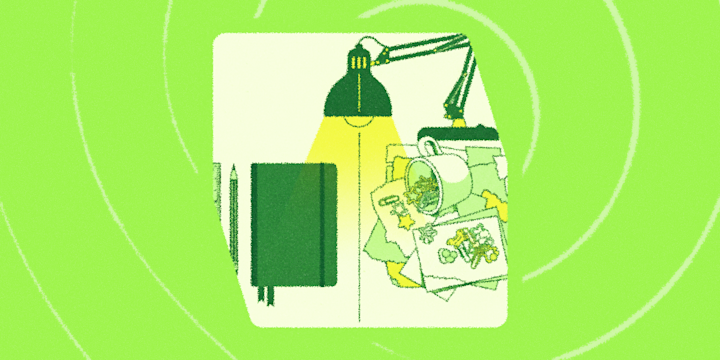
Your desk is telling on you.
Not in a threatening way. But the way you've arranged (or haven't arranged) your workspace reveals more about how you actually think than any productivity framework ever could. It's all the small decisions that add up: whether there's a plant, whether there are seventeen tabs open, whether "the pile" is a controlled system or a slow-moving archaeology project.
That's where IFTTT comes in. It connects to over 1000 apps and devices so you can build automations that match exactly how your brain runs, not how a productivity influencer thinks it should run. Whether you want your tasks to sync themselves, your phone to mute during focus time, or your notes to land somewhere useful without any manual filing, there's an Applet for it.

Find your desk below, then find your Applets.
The blank slate
Nothing on it but a laptop, one plant that's doing fine, and a glass of water. If someone walked up to your desk while you were away, they'd think you just started your first day.
This isn't a personality disorder. It's a deliberate choice you made the third time you lost something on your own desk. You learned that a clear surface keeps a clear head, so everything gets put away before you sit down. No exceptions, no "I'll deal with that later" piles, no mystery items from two weeks ago.
Your automations match. One weekly digest instead of constant pings, your Basecamp schedule and Google Calendar events rolled up so you're not checking multiple places, your phone muted during deep work without you having to remember to do it. You don't want a complicated setup. You want a setup that stays out of your way.
-
Send Basecamp schedule digest to Notifications
-
-
Add new Google Calendar events to weekly email digest
 1.44k
1.44k
-
-
Mute Android phone automatically at scheduled times
2.17k
-
-
Get Claude answers via Note widget notification
25
-








The sticky note wall
Your monitor has a border. Not a hardware one — a handmade one, built over months out of color-coded sticky notes, printed confirmations, and at least one thing that says URGENT from three weeks ago that you're keeping up for reasons.
Here's the thing: you're not unorganized. You're visual. Out of sight is genuinely out of mind for you, so everything important needs to be somewhere you'll see it. The desk isn't decoration. It's part of your operating system. You've just externalized your working memory onto a 24-inch surface.
The Applets that click for you are the ones that put information in front of you before you have to go hunting for it. Morning forecasts, calendar reminders, Perplexity search results landing in your notifications before you've even thought to ask, Fireflies.ai dropping your meeting transcripts into Notion the moment a call ends. You don't want to remember to check things. You want the things to find you.
-
Add new Google Calendar events to Notion to-do list
525
-
-
Send Perplexity search results to Notifications
-
-
Get the weather forecast every day at 7:00 AM
800k
-
-
Save Fireflies.ai transcripts to Notion
1
-



The command center
Three screens, at least two actively doing something. RGB lighting (which is functional, actually, because it helps you set the mood). A mechanical keyboard you researched for longer than you'll admit. You have strong opinions about monitor refresh rates and you'll share them if asked.
This isn't excess. It's infrastructure. The second monitor isn't for show. It's for keeping Slack open while you actually work on the other one. You built this setup because you had real problems (too much context switching, not enough surface area) and you solved them. The fact that it looks cool is a side effect.
Your automations are equally deliberate. Everything that happens more than twice has a workflow. When you go live somewhere, every channel gets notified automatically. A Figma file gets updated and your team knows about it in Slack before anyone has to ask. Your lights react to what your setup is doing. You built the system once and now it runs itself.
-
Whenever I start a stream, post in my Stoat Channel
2
-
-
Blink your LIFX lights when you get a new Twitch follower
538
-
-
Notify Slack when a Figma file is updated
-
-
Automatically share completed Trello tasks to a Slack channel
655
-





The "I'll clean it Sunday" desk
There is a system here. It just requires knowing the system.
The papers on the left are active. The papers on the right are done, probably. The open book is referenced every few days. The three tabs on your browser map to three things you're thinking about. The mug is from today. We'll leave it at that.
Here's what's true: you work. A lot of people with spotless desks do not. The clutter is a byproduct of being deep in it, and stopping to tidy would cost more than it saves. Your best thinking happens in the middle of the mess, not after cleaning it up.
The automations that actually stick for you do the filing so you don't have to. A Trello card logs itself as a Coda row. Gemini analyzes something you threw at it and saves the output to Google Drive before you've thought about where to put it. Fireflies.ai sits in on your meetings and posts the transcript to Slack before you've even closed the tab. You're not going to maintain a complex system, you need a few things that run on their own and keep you from losing what matters.
-
Save Gemini analysis to Google Drive
12
-
-
Post to Slack when Fireflies.ai completes transcription
-
-
Log work hours in Google Sheets with a Button Widget
124k
-
-
Create Coda rows from new Trello cards
-






The standing desk convert
At any given moment you are either standing, sitting, or mid-transition while taking a call. The anti-fatigue mat was a real purchase that you stand by (literally). You also have a water bottle that holds a lot of water, and a loose goal to finish it by noon.
You arrived here after reading something about prolonged sitting and never fully recovered. This is not a criticism, you made a reasonable decision based on the available information and you've built a setup that reflects it. Blue light glasses, a habit tracker on your phone, a desk that adjusts with the press of a button.
Your Applets extend the same logic. Your Oura Ring blocks off recovery time on your calendar when your numbers are low and changes your LIFX lights when you hit your activity goal for the day. Strava logs every activity straight to Google Calendar so nothing gets lost. The standing desk was always about making your body part of the feedback loop. Now your apartment is too.
-
Change LIFX lights when Oura Ring completes activity goal
-
-
Create Google Calendar event when Oura Ring sleep is low
2
-
-
Add new Strava activities to Google Calendar
5.67k
-
-
Get hourly IFTTT notifications to drink water
53.4k
-


The laptop-only nomad
There is no dedicated desk. Or there is one, but you're not at it. You're at a café table, a coworking space, a kitchen counter, or a spot you found that has good light and decent Wi-Fi.
You work wherever the work is good. You're not attached to a setup because you figured out early that a change of scenery does more for your output than the right monitor stand. Your whole operation fits in a bag. That's a feature, not a compromise.
What you need from automations is portability and reliability, nothing that requires you to be home, nothing with hardware dependencies, nothing that breaks if you're on a different network. Just apps talking to apps. Your notes back up automatically, a new Substack post goes live and gets shared to LinkedIn before you've closed your laptop, and whatever you wrote on your phone this morning shows up everywhere it needs to be.
-
Share Substack posts to LinkedIn
14
-
-
Automatically back up your new iOS photos to Google Drive
43.8k
-
-
Post Buffer content to X (Twitter)
5
-
-
Email AI meeting summaries from new Google Docs notes
316
-







More personality blogs
Your desk setup is just the start. More ways to learn something about yourself, your workflow, and the kind of automator you actually are:
- What your coffee order says about your workflow
- Which generation are you according to your Applets?
- What your automations say about your aesthetic
- The best automations for every enneagram type
The real answer
The cleanest desk in the office doesn't belong to the most productive person, and the messiest one doesn't either. The desk is just a clue, how you set up your physical space says something about how you process information, manage your attention, and structure your day.
Whatever your setup looks like, IFTTT can fit it. Use published Applets or build your own in a few clicks.
Start a free trial of IFTTT Pro and see what's possible.