Best smart lights and automatic home lighting (2026) can be customized to create ambiance and change the atmosphere of your space. Automations can transform what you can do with your lights using custom phrases from your voice assistant, widget, time-based settings, and more. Philips Hue lights integrate with the hundreds of services on IFTTT to make your home more inviting, more comfortable, and more you.
Create an inviting space when you get home from a long day at work or use your Hue bulbs to serve as a visual cue for kids that they should bundle up on their way to school. It’s all possible using automations and integrations that expand the possibilities of what your smart lights can do.
You can also pair your lights with IFTTT and automate their behavior based on the time of day, motion sensors, or even when you turn on a specific device like your TV or a radio. For example, you can set up your lights to turn on automatically at sunset each evening so you don’t have to worry about turning them on manually. If you haven't signed up for IFTTT, it's free to start and easy to get started. Join IFTTT today!

1. Control your smart lights with your connected smart devices
Why flip a light switch when you can control your lightbulbs from your phone or use a voice assistant to make it happen? Create custom phrases or get creative with spells from your favorite wizarding stories to bring the magic to life.


2. Set up automated visual notifications
Getting notifications on your mobile device or wearable all day can be overwhelming, and it can be easy to miss. Or, if you are trying to unplug and relax, it is possible to miss incoming calls or a calendar reminder. One of the most popular ways to use your Philips Hue lightbulbs as a visual notification tool is to change the lighting color to alert homeowners that there is a leak or that someone is at the door.
-
Blink Philips Hue lights for Android app notifications
 928
928
-
-
Turn on Philips Hue lights when Android alarm rings
3.04k
-

3. Automate your lighting around your daily routine
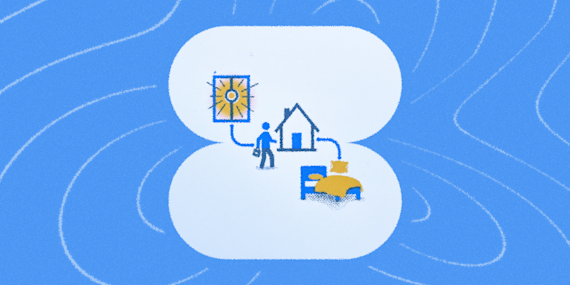
Optimize the way your home is set up based on the time of day or day of the week. Turn your lights off when you get into bed or have your front lights come on when you get home. Creating these automations is easy to do and will save you time, conserve electricity, and increase your comfort at home.
-
Turn on Philips Hue lights at a set time every day
7.98k
-
-
Turn off Philips Hue lights when Withings Sleep detects you’re in bed
2.32k
-


4. Get the party started
Automations that optimize your home and help you communicate are great, but these Applets bring the fun. Start a color loop whenever you want.

5. Bolster your home security
Blinking your Hue lights can be used as an additional security measure (for example, blinking all the outdoor lights when motion is detected could scare an intruder away), or can be also used as a visual notification in the house when motion is detected outside (for example, you may not notice the notification on your phone, but may notice when your desk lamp starts blinking.
-
Blink Philips Hue lights when Ring detects motion
685
-
-
Blink Philips Hue lights when Arlo detects motion
1.05k
-


6. Sync your home lighting with the weather
Connecting your Hue lights to the weather is extremely powerful and easy home automation. Turn your lights on and off when the sun rises and sets or change their color if it's sunny or raining!

Integrate & automate your Philips Hue lighting with IFTTT
IFTTT is the best easiest for automating your Philips Hue smart lights. With IFTTT, you can connect your smart home devices to other connected devices and apps to make customized experiences. This allows you to control your Philips Hue lights with just a few clicks or voice commands, without having to manually turn them on/off or adjust their settings. This can be done from your phone, computer, smartwatch, voice assistant, or other devices. Try creating some of the automations mentioned above and get ready to have a smarter home with Philips Hue!