Explore Plans

LinkedIn Agent to SFGATE integrations

SFGATE breaks Bay Area news, and AI LinkedIn Assistant turns those stories into posts. When SFGATE publishes breaking news or a new piece from a writer you follow, IFTTT can feed it to your AI assistant to generate a LinkedIn post ready to share with your network.
Get started todayGet started today

Automate LinkedIn Agent and SFGATE from your AI assistant

Ask OpenClaw to run LinkedIn Agent queries and create posts, right from your AI assistant, with IFTTT MCP.

Set up IFTTT MCP

Create your own LinkedIn Agent and SFGATE workflow

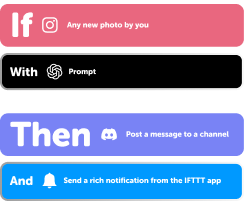
Create custom workflows effortlessly by selecting triggers, queries, and actions. With IFTTT, it's simple: “If this” trigger happens, “then that” action follows. Streamline tasks and save time with automated workflows that work for you.

13 triggers, queries, and actions

Breaking news

Polling trigger
Polling Applets run after IFTTT reaches out to the trigger service and finds a new trigger event. These trigger checks occur every hour on Free, every 15 minutes on Starter, and every 5 minutes on Pro and Pro+.
This trigger fires when there is a new Breaking News event.

New piece from Mark Morford

Polling trigger
Polling Applets run after IFTTT reaches out to the trigger service and finds a new trigger event. These trigger checks occur every hour on Free, every 15 minutes on Starter, and every 5 minutes on Pro and Pro+.
This trigger fires when there is a new article from author Mark Morford.

New SF Giants update

Polling trigger
Polling Applets run after IFTTT reaches out to the trigger service and finds a new trigger event. These trigger checks occur every hour on Free, every 15 minutes on Starter, and every 5 minutes on Pro and Pro+.
This trigger fires when there is a new update on the San Francisco Giants.

New story on SFGATE homepage

Polling trigger
Polling Applets run after IFTTT reaches out to the trigger service and finds a new trigger event. These trigger checks occur every hour on Free, every 15 minutes on Starter, and every 5 minutes on Pro and Pro+.
This trigger fires when a new article is added to the SFGATE homepage.

History of breaking news

Query
A query lets your Applet retrieve extra data that isn't included in the trigger, so that your automation can include more complete or useful information.
This query returns a list of when there is a new Breaking News event.

History of pieces from Mark Morford

Query
A query lets your Applet retrieve extra data that isn't included in the trigger, so that your automation can include more complete or useful information.
This query returns a list of when there is a new article from author Mark Morford.

History of SF Giants updates

Query
A query lets your Applet retrieve extra data that isn't included in the trigger, so that your automation can include more complete or useful information.
This query returns a list of when there is a new update on the San Francisco Giants.

History of stories on SFGATE homepage

Query
A query lets your Applet retrieve extra data that isn't included in the trigger, so that your automation can include more complete or useful information.
This query returns a list of when a new article is added to the SFGATE homepage.

LinkedIn article

Query
A query lets your Applet retrieve extra data that isn't included in the trigger, so that your automation can include more complete or useful information.
This query will draft a LinkedIn article between 500 and 1,000 words.

LinkedIn hashtag generator

Query
A query lets your Applet retrieve extra data that isn't included in the trigger, so that your automation can include more complete or useful information.
This query will generate five hashtag suggestions for LinkedIn based on a topic.

LinkedIn headline generator

Query
A query lets your Applet retrieve extra data that isn't included in the trigger, so that your automation can include more complete or useful information.
This query will craft the perfect headline for your LinkedIn profile under 220 characters.

LinkedIn post

Query
A query lets your Applet retrieve extra data that isn't included in the trigger, so that your automation can include more complete or useful information.
This query will generate a post based on a topic while employing best writing practices for LinkedIn.

LinkedIn tailor

Query
A query lets your Applet retrieve extra data that isn't included in the trigger, so that your automation can include more complete or useful information.
This query will optimize an existing social media post for LinkedIn's format specifications and best practices, ensuring it resonates with LinkedIn's professional audience and adopts the platform's written style.

Breaking news

Polling trigger
Polling Applets run after IFTTT reaches out to the trigger service and finds a new trigger event. These trigger checks occur every hour on Free, every 15 minutes on Starter, and every 5 minutes on Pro and Pro+.
This trigger fires when there is a new Breaking News event.

History of breaking news

Query
A query lets your Applet retrieve extra data that isn't included in the trigger, so that your automation can include more complete or useful information.
This query returns a list of when there is a new Breaking News event.

History of pieces from Mark Morford

Query
A query lets your Applet retrieve extra data that isn't included in the trigger, so that your automation can include more complete or useful information.
This query returns a list of when there is a new article from author Mark Morford.

History of SF Giants updates

Query
A query lets your Applet retrieve extra data that isn't included in the trigger, so that your automation can include more complete or useful information.
This query returns a list of when there is a new update on the San Francisco Giants.

History of stories on SFGATE homepage

Query
A query lets your Applet retrieve extra data that isn't included in the trigger, so that your automation can include more complete or useful information.
This query returns a list of when a new article is added to the SFGATE homepage.

LinkedIn article

Query
A query lets your Applet retrieve extra data that isn't included in the trigger, so that your automation can include more complete or useful information.
This query will draft a LinkedIn article between 500 and 1,000 words.

LinkedIn hashtag generator

Query
A query lets your Applet retrieve extra data that isn't included in the trigger, so that your automation can include more complete or useful information.
This query will generate five hashtag suggestions for LinkedIn based on a topic.

LinkedIn headline generator

Query
A query lets your Applet retrieve extra data that isn't included in the trigger, so that your automation can include more complete or useful information.
This query will craft the perfect headline for your LinkedIn profile under 220 characters.

LinkedIn post

Query
A query lets your Applet retrieve extra data that isn't included in the trigger, so that your automation can include more complete or useful information.
This query will generate a post based on a topic while employing best writing practices for LinkedIn.

LinkedIn tailor

Query
A query lets your Applet retrieve extra data that isn't included in the trigger, so that your automation can include more complete or useful information.
This query will optimize an existing social media post for LinkedIn's format specifications and best practices, ensuring it resonates with LinkedIn's professional audience and adopts the platform's written style.

New piece from Mark Morford

Polling trigger
Polling Applets run after IFTTT reaches out to the trigger service and finds a new trigger event. These trigger checks occur every hour on Free, every 15 minutes on Starter, and every 5 minutes on Pro and Pro+.
This trigger fires when there is a new article from author Mark Morford.

New SF Giants update

Polling trigger
Polling Applets run after IFTTT reaches out to the trigger service and finds a new trigger event. These trigger checks occur every hour on Free, every 15 minutes on Starter, and every 5 minutes on Pro and Pro+.
This trigger fires when there is a new update on the San Francisco Giants.
GET STARTED

How to connect to a LinkedIn Agent automation

Find an Applet using LinkedIn Agent and SFGATE

Find an automation to connect to, or create your own!

Connect IFTTT to your accounts

Securely connect the Applet services to your respective accounts.

Finalize and customize your Applet

Review trigger and action settings, and click connect. Simple as that!
Get started

Upgrade your automations with

  • Connect to more Applets

    Connect to more Applets

    Connect up to 20 automations with Pro, and unlimited automations with Pro+
  • Add multiple actions with exclusive services

    Add multiple actions with exclusive services

    Add real-time data and multiple actions for smarter automations
  • Get access to faster speeds

    Get access to faster speeds

    Get faster updates and more actions with higher rate limits and quicker checks

More on LinkedIn Agent and SFGATE

About LinkedIn Agent

LinkedIn Agent and IFTTT let you automate your LinkedIn content creation and publishing workflow.
Explore LinkedIn Agent

More integrations with LinkedIn Agent

About SFGATE

SFGATE and IFTTT let you catch breaking Bay Area news, Giants updates, and stories from your favorite writers as they happen.
Explore SFGATE

More integrations with SFGATE

IFTTT helps all your apps and devices work better together

Get started for free