Explore Plans

EasyControl of Bosch to Notify My Echo integrations

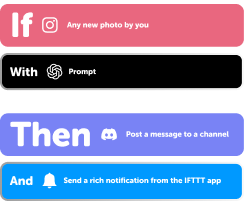
Build your own EasyControl of Bosch and Notify My Echo automation on IFTTT. EasyControl of Bosch can start an automation with "Away Mode", and IFTTT can then run "Send Alexa Notification" on Notify My Echo.
Get started todayGet started today

Automate EasyControl of Bosch and Notify My Echo from your AI assistant

Ask ChatGPT to create Bosch EasyControl applets for you, right from your AI assistant, with IFTTT MCP.

Set up IFTTT MCP

Create your own EasyControl of Bosch and Notify My Echo workflow

Create custom workflows effortlessly by selecting triggers, queries, and actions. With IFTTT, it's simple: “If this” trigger happens, “then that” action follows. Streamline tasks and save time with automated workflows that work for you.

20 triggers, queries, and actions

Away Mode

Polling trigger
Polling Applets run after IFTTT reaches out to the trigger service and finds a new trigger event. These trigger checks occur every hour on Free, every 15 minutes on Starter, and every 5 minutes on Pro and Pro+.
This trigger fires when away mode is on.

Home Mode

Polling trigger
Polling Applets run after IFTTT reaches out to the trigger service and finds a new trigger event. These trigger checks occur every hour on Free, every 15 minutes on Starter, and every 5 minutes on Pro and Pro+.
This trigger fires when home mode is on.

Humidity drops below

Polling trigger
Polling Applets run after IFTTT reaches out to the trigger service and finds a new trigger event. These trigger checks occur every hour on Free, every 15 minutes on Starter, and every 5 minutes on Pro and Pro+.
This Trigger fires when your local humidity drops below a given threshold.

Humidity rises above

Polling trigger
Polling Applets run after IFTTT reaches out to the trigger service and finds a new trigger event. These trigger checks occur every hour on Free, every 15 minutes on Starter, and every 5 minutes on Pro and Pro+.
This Trigger fires when your indoor humidity rises above a given threshold.

Low System Pressure

Polling trigger
Polling Applets run after IFTTT reaches out to the trigger service and finds a new trigger event. These trigger checks occur every hour on Free, every 15 minutes on Starter, and every 5 minutes on Pro and Pro+.
This Trigger fires when your system pressure drops below a given threshold.

Notification

Polling trigger
Polling Applets run after IFTTT reaches out to the trigger service and finds a new trigger event. These trigger checks occur every hour on Free, every 15 minutes on Starter, and every 5 minutes on Pro and Pro+.
This trigger fires whenever a notification is created by your heating system. This could be a low pressure warning or error message.

Room temperature changed

Polling trigger
Polling Applets run after IFTTT reaches out to the trigger service and finds a new trigger event. These trigger checks occur every hour on Free, every 15 minutes on Starter, and every 5 minutes on Pro and Pro+.
This trigger fires every time the room temperature changes by a pre-selected amount.

Temperature drops below

Polling trigger
Polling Applets run after IFTTT reaches out to the trigger service and finds a new trigger event. These trigger checks occur every hour on Free, every 15 minutes on Starter, and every 5 minutes on Pro and Pro+.
This Trigger fires when your local room temperature drops below a given threshold.

Temperature rises above

Polling trigger
Polling Applets run after IFTTT reaches out to the trigger service and finds a new trigger event. These trigger checks occur every hour on Free, every 15 minutes on Starter, and every 5 minutes on Pro and Pro+.
This Trigger fires when your local room temperature exceeds a given threshold.

History of Away Mode

Query
A query lets your Applet retrieve extra data that isn't included in the trigger, so that your automation can include more complete or useful information.
This query returns a list of when away mode was on.

History of humidity rises above

Query
A query lets your Applet retrieve extra data that isn't included in the trigger, so that your automation can include more complete or useful information.
This query returns a list of when your indoor humidity rises above a given threshold. Note: this query will only return future events after this Applet is created.

History of room temperature changed

Query
A query lets your Applet retrieve extra data that isn't included in the trigger, so that your automation can include more complete or useful information.
This query returns a list of when the room temperature changes by a pre-selected amount.

Decrease room temperature

Action
An action is the task your Applet carries out after the trigger occurs. It defines what happens as the result of your automation and completes the workflow.
This Action will decrease the room temperature by a configurable amount.

Increase room temperature

Action
An action is the task your Applet carries out after the trigger occurs. It defines what happens as the result of your automation and completes the workflow.
This Action will increase the room temperature by a configurable amount.

Send Alexa Notification

Action
An action is the task your Applet carries out after the trigger occurs. It defines what happens as the result of your automation and completes the workflow.
This action will send a Notification to your Alexa.

Set auto mode

Action
An action is the task your Applet carries out after the trigger occurs. It defines what happens as the result of your automation and completes the workflow.
This Action will set your Easy Control to auto mode.The auto mode (e.g. clock mode, holiday mode) sets the temperatures accordingly.

Set away mode

Action
An action is the task your Applet carries out after the trigger occurs. It defines what happens as the result of your automation and completes the workflow.
This Action will set your Easy Control to away mode.

Set home mode

Action
An action is the task your Applet carries out after the trigger occurs. It defines what happens as the result of your automation and completes the workflow.
This Action will set your Easy Control to home mode.

Set manual mode

Action
An action is the task your Applet carries out after the trigger occurs. It defines what happens as the result of your automation and completes the workflow.
This Action will set your Easy Control to manual mode.

Set room temperature

Action
An action is the task your Applet carries out after the trigger occurs. It defines what happens as the result of your automation and completes the workflow.
This Action will set the current room temperature to a level of your choice. This temperature level can be adjusted manually or if Clock Mode is activated.

Away Mode

Polling trigger
Polling Applets run after IFTTT reaches out to the trigger service and finds a new trigger event. These trigger checks occur every hour on Free, every 15 minutes on Starter, and every 5 minutes on Pro and Pro+.
This trigger fires when away mode is on.

Decrease room temperature

Action
An action is the task your Applet carries out after the trigger occurs. It defines what happens as the result of your automation and completes the workflow.
This Action will decrease the room temperature by a configurable amount.

History of Away Mode

Query
A query lets your Applet retrieve extra data that isn't included in the trigger, so that your automation can include more complete or useful information.
This query returns a list of when away mode was on.

History of humidity rises above

Query
A query lets your Applet retrieve extra data that isn't included in the trigger, so that your automation can include more complete or useful information.
This query returns a list of when your indoor humidity rises above a given threshold. Note: this query will only return future events after this Applet is created.

History of room temperature changed

Query
A query lets your Applet retrieve extra data that isn't included in the trigger, so that your automation can include more complete or useful information.
This query returns a list of when the room temperature changes by a pre-selected amount.

Home Mode

Polling trigger
Polling Applets run after IFTTT reaches out to the trigger service and finds a new trigger event. These trigger checks occur every hour on Free, every 15 minutes on Starter, and every 5 minutes on Pro and Pro+.
This trigger fires when home mode is on.

Humidity drops below

Polling trigger
Polling Applets run after IFTTT reaches out to the trigger service and finds a new trigger event. These trigger checks occur every hour on Free, every 15 minutes on Starter, and every 5 minutes on Pro and Pro+.
This Trigger fires when your local humidity drops below a given threshold.

Humidity rises above

Polling trigger
Polling Applets run after IFTTT reaches out to the trigger service and finds a new trigger event. These trigger checks occur every hour on Free, every 15 minutes on Starter, and every 5 minutes on Pro and Pro+.
This Trigger fires when your indoor humidity rises above a given threshold.

Increase room temperature

Action
An action is the task your Applet carries out after the trigger occurs. It defines what happens as the result of your automation and completes the workflow.
This Action will increase the room temperature by a configurable amount.

Low System Pressure

Polling trigger
Polling Applets run after IFTTT reaches out to the trigger service and finds a new trigger event. These trigger checks occur every hour on Free, every 15 minutes on Starter, and every 5 minutes on Pro and Pro+.
This Trigger fires when your system pressure drops below a given threshold.

Notification

Polling trigger
Polling Applets run after IFTTT reaches out to the trigger service and finds a new trigger event. These trigger checks occur every hour on Free, every 15 minutes on Starter, and every 5 minutes on Pro and Pro+.
This trigger fires whenever a notification is created by your heating system. This could be a low pressure warning or error message.

Room temperature changed

Polling trigger
Polling Applets run after IFTTT reaches out to the trigger service and finds a new trigger event. These trigger checks occur every hour on Free, every 15 minutes on Starter, and every 5 minutes on Pro and Pro+.
This trigger fires every time the room temperature changes by a pre-selected amount.

Build an automation in seconds!

You can add delays, queries, and more actions in the chat.

GET STARTED

How to connect to a EasyControl of Bosch automation

Find an Applet using EasyControl of Bosch and Notify My Echo

Find an automation to connect to, or create your own!

Connect IFTTT to your accounts

Securely connect the Applet services to your respective accounts.

Finalize and customize your Applet

Review trigger and action settings, and click connect. Simple as that!
Get started

Upgrade your automations with

  • Connect to more Applets

    Connect to more Applets

    Connect up to 20 automations with Pro, and unlimited automations with Pro+
  • Add multiple actions with exclusive services

    Add multiple actions with exclusive services

    Add real-time data and multiple actions for smarter automations
  • Get access to faster speeds

    Get access to faster speeds

    Get faster updates and more actions with higher rate limits and quicker checks

More on EasyControl of Bosch and Notify My Echo

About EasyControl of Bosch

Simple and secure, the EasyControl of Bosch enables you to control your heating from your smartphone, adapting to your lifestyle to increase your efficiency and comfort.

Before you connect your EasyControl with IFTTT please make sure that you have registered it at Bosch.

With the EasyControl, you can be assured that none of your personal data will be shared.

Explore EasyControl of Bosch

More integrations with EasyControl of Bosch

About Notify My Echo

Sends Alexa Notifications to your Amazon Echo. To use, first enable the Notify Me skill by Thomptronics and launch the skill ("Alexa, open the Notify Me skill"). Next, activate this service by logging in with your Amazon account. Visit notifymyecho.com for more information.

Explore Notify My Echo

More integrations with Notify My Echo

IFTTT helps all your apps and devices work better together

Get started for free