21 ready-made Google Docs and Spotify Applets
Turn one on, or build your own. Google Docs can start an automation with "New document added", and IFTTT can then run "Add track to a playlist" on Spotify.-
Add new Spotify saved tracks to Google Docsby
-
Create Google Docs when new Spotify track is savedby
-
Create a Google Doc for each new Spotify playlist trackby
-
Save new Spotify tracks to a Google Docs listby
-
Save new Spotify playlist tracks to Google Docsby
-
Save new Spotify tracks to a Google Docs listby
-
Put saved Spotify tracks in a Google Docby
-
Append new Spotify tracks to a Google Docs fileby
-
Append new saved Spotify episodes to Google Docsby
USE CASE
Consolidate playlists for client presentations
Merge songs from Spotify playlists into a Google Drive document, creating a customizable playlist to share with clients across various platforms.
Get startedAutomate Google Docs and Spotify from your AI assistant
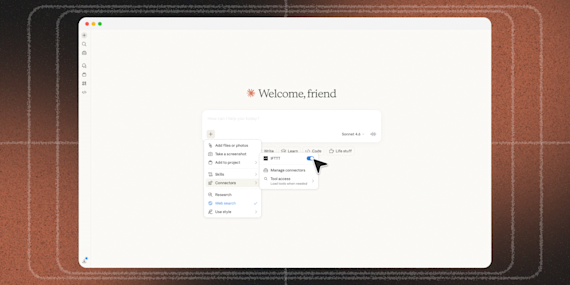
Ask Perplexity to create Google Docs applets for you, right from your AI assistant, with IFTTT MCP.
Set up IFTTT MCPCreate your own Google Docs and Spotify workflow
Create custom workflows effortlessly by selecting triggers, queries, and actions. With IFTTT, it's simple: “If this” trigger happens, “then that” action follows. Streamline tasks and save time with automated workflows that work for you.
44 triggers, queries, and actions
New document added
Polling trigger
Polling Applets run after IFTTT reaches out to the trigger service and finds a new trigger event. These trigger checks occur every hour on Free, every 15 minutes on Starter, and every 5 minutes on Pro and Pro+.
This trigger fires when a new document is added to a Google Drive folder. Note: only works for docs created after the Applet is turned on.
New episode from a followed show
Polling trigger
Polling Applets run after IFTTT reaches out to the trigger service and finds a new trigger event. These trigger checks occur every hour on Free, every 15 minutes on Starter, and every 5 minutes on Pro and Pro+.
This Trigger fires every time a followed show releases a new episode on Spotify.
New episode from search
Polling trigger
Polling Applets run after IFTTT reaches out to the trigger service and finds a new trigger event. These trigger checks occur every hour on Free, every 15 minutes on Starter, and every 5 minutes on Pro and Pro+.
This trigger fires every time a new episode is released that matches your search
New followed show
Polling trigger
Polling Applets run after IFTTT reaches out to the trigger service and finds a new trigger event. These trigger checks occur every hour on Free, every 15 minutes on Starter, and every 5 minutes on Pro and Pro+.
This trigger fires every time you follow a new show on Spotify.
New recently played track
Polling trigger
Polling Applets run after IFTTT reaches out to the trigger service and finds a new trigger event. These trigger checks occur every hour on Free, every 15 minutes on Starter, and every 5 minutes on Pro and Pro+.
This trigger fires every time you have played a new track on Spotify.
New saved album
Polling trigger
Polling Applets run after IFTTT reaches out to the trigger service and finds a new trigger event. These trigger checks occur every hour on Free, every 15 minutes on Starter, and every 5 minutes on Pro and Pro+.
This trigger fires every time you save a new album to Your Music on Spotify.
New saved episode
Polling trigger
Polling Applets run after IFTTT reaches out to the trigger service and finds a new trigger event. These trigger checks occur every hour on Free, every 15 minutes on Starter, and every 5 minutes on Pro and Pro+.
This Trigger fires every time you save a new episode to your library on Spotify.
New saved track
Polling trigger
Polling Applets run after IFTTT reaches out to the trigger service and finds a new trigger event. These trigger checks occur every hour on Free, every 15 minutes on Starter, and every 5 minutes on Pro and Pro+.
This Trigger fires every time you save a new track to Your Music on Spotify.
New show from search
Polling trigger
Polling Applets run after IFTTT reaches out to the trigger service and finds a new trigger event. These trigger checks occur every hour on Free, every 15 minutes on Starter, and every 5 minutes on Pro and Pro+.
This trigger fires every time a new show appears in your search
New track added to a playlist
Polling trigger
Polling Applets run after IFTTT reaches out to the trigger service and finds a new trigger event. These trigger checks occur every hour on Free, every 15 minutes on Starter, and every 5 minutes on Pro and Pro+.
This Trigger fires every time a new track is added to a playlist you specify.
Currently playing track
Query
A query lets your Applet retrieve extra data that isn't included in the trigger, so that your automation can include more complete or useful information.
This query returns the track that is currently playing on Spotify.
Get album details
Query
A query lets your Applet retrieve extra data that isn't included in the trigger, so that your automation can include more complete or useful information.
This query returns details for a given album.
Get artist details
Query
A query lets your Applet retrieve extra data that isn't included in the trigger, so that your automation can include more complete or useful information.
This query returns information about a given artist.
Get artists for album
Query
A query lets your Applet retrieve extra data that isn't included in the trigger, so that your automation can include more complete or useful information.
This query will return artists for a given album.
Get artists for track
Query
A query lets your Applet retrieve extra data that isn't included in the trigger, so that your automation can include more complete or useful information.
This query returns a track's artists.
Get audio features from a track
Query
A query lets your Applet retrieve extra data that isn't included in the trigger, so that your automation can include more complete or useful information.
This query returns the audio feature from a track
Get featured playlists
Query
A query lets your Applet retrieve extra data that isn't included in the trigger, so that your automation can include more complete or useful information.
This query returns a list of featured playlists.
Get show details
Query
A query lets your Applet retrieve extra data that isn't included in the trigger, so that your automation can include more complete or useful information.
This query returns details for a given show.
Get show episodes
Query
A query lets your Applet retrieve extra data that isn't included in the trigger, so that your automation can include more complete or useful information.
This query returns available episodes for a given show.
Get track details
Query
A query lets your Applet retrieve extra data that isn't included in the trigger, so that your automation can include more complete or useful information.
This query returns details about a track.
Get track recommendations
Query
A query lets your Applet retrieve extra data that isn't included in the trigger, so that your automation can include more complete or useful information.
This query returns track recommendations based on your top tracks.
Get tracks for album
Query
A query lets your Applet retrieve extra data that isn't included in the trigger, so that your automation can include more complete or useful information.
This query returns the tracks on an album.
Add track to a playlist
Action
An action is the task your Applet carries out after the trigger occurs. It defines what happens as the result of your automation and completes the workflow.
This Action will search for a track and add the first result to a playlist you specify.
Add track to a playlist by TrackID
Action
An action is the task your Applet carries out after the trigger occurs. It defines what happens as the result of your automation and completes the workflow.
This Action will add a track to a playlist given a TrackID
Add track to playback queue
Action
An action is the task your Applet carries out after the trigger occurs. It defines what happens as the result of your automation and completes the workflow.
This action will add a track you specify to the end of current playback queue on Spotify. Only available for Spotify premium accounts.
Append to a document
Action
An action is the task your Applet carries out after the trigger occurs. It defines what happens as the result of your automation and completes the workflow.
This action will add to a Google document as determined by the file name and folder path you specify. Once a file’s size reaches 2MB a new file will be created.
Create a document
Action
An action is the task your Applet carries out after the trigger occurs. It defines what happens as the result of your automation and completes the workflow.
This action will create a new Google document at the path you specify.
Follow a playlist
Action
An action is the task your Applet carries out after the trigger occurs. It defines what happens as the result of your automation and completes the workflow.
This action will follow a playlist you specify. It accepts Spotify Playlist IDs.
Pause playback
Action
An action is the task your Applet carries out after the trigger occurs. It defines what happens as the result of your automation and completes the workflow.
This action will pause current playback on Spotify. Only available for Spotify premium accounts.
Save a track
Action
An action is the task your Applet carries out after the trigger occurs. It defines what happens as the result of your automation and completes the workflow.
This Action will search for a track you specify and save the first matching result to Your Music on Spotify.
Skip track
Action
An action is the task your Applet carries out after the trigger occurs. It defines what happens as the result of your automation and completes the workflow.
This action will skip to next track in the current playback queue on Spotify. Only available for Spotify premium accounts.
Start playback
Action
An action is the task your Applet carries out after the trigger occurs. It defines what happens as the result of your automation and completes the workflow.
Start a new context or resume current playback on the user’s active device. Only available for Spotify premium accounts.
Add track to a playlist
Action
An action is the task your Applet carries out after the trigger occurs. It defines what happens as the result of your automation and completes the workflow.
This Action will search for a track and add the first result to a playlist you specify.
Add track to a playlist by TrackID
Action
An action is the task your Applet carries out after the trigger occurs. It defines what happens as the result of your automation and completes the workflow.
This Action will add a track to a playlist given a TrackID
Add track to playback queue
Action
An action is the task your Applet carries out after the trigger occurs. It defines what happens as the result of your automation and completes the workflow.
This action will add a track you specify to the end of current playback queue on Spotify. Only available for Spotify premium accounts.
Append to a document
Action
An action is the task your Applet carries out after the trigger occurs. It defines what happens as the result of your automation and completes the workflow.
This action will add to a Google document as determined by the file name and folder path you specify. Once a file’s size reaches 2MB a new file will be created.
Create a document
Action
An action is the task your Applet carries out after the trigger occurs. It defines what happens as the result of your automation and completes the workflow.
This action will create a new Google document at the path you specify.
Currently playing track
Query
A query lets your Applet retrieve extra data that isn't included in the trigger, so that your automation can include more complete or useful information.
This query returns the track that is currently playing on Spotify.
Follow a playlist
Action
An action is the task your Applet carries out after the trigger occurs. It defines what happens as the result of your automation and completes the workflow.
This action will follow a playlist you specify. It accepts Spotify Playlist IDs.
Get album details
Query
A query lets your Applet retrieve extra data that isn't included in the trigger, so that your automation can include more complete or useful information.
This query returns details for a given album.
Get artist details
Query
A query lets your Applet retrieve extra data that isn't included in the trigger, so that your automation can include more complete or useful information.
This query returns information about a given artist.
Get artists for album
Query
A query lets your Applet retrieve extra data that isn't included in the trigger, so that your automation can include more complete or useful information.
This query will return artists for a given album.
Get artists for track
Query
A query lets your Applet retrieve extra data that isn't included in the trigger, so that your automation can include more complete or useful information.
This query returns a track's artists.
Get audio features from a track
Query
A query lets your Applet retrieve extra data that isn't included in the trigger, so that your automation can include more complete or useful information.
This query returns the audio feature from a track
Build an automation in seconds!
If
New document added
Then
Add track to a playlist
You can add delays, queries, and more actions in the chat.

GET STARTED
How to connect to a Google Docs automation
Find an Applet using Google Docs and Spotify
Find an automation to connect to, or create your own!Connect IFTTT to your accounts
Securely connect the Applet services to your respective accounts.Finalize and customize your Applet
Review trigger and action settings, and click connect. Simple as that!Upgrade your automations with
-
Connect to more Applets
Connect up to 20 automations with Pro, and unlimited automations with Pro+ -
Add multiple actions with exclusive services
Add real-time data and multiple actions for smarter automations -
Get access to faster speeds
Get faster updates and more actions with higher rate limits and quicker checks
More on Google Docs and Spotify
About Google Docs
Google Docs and IFTTT let you create new documents, add content to existing ones, and set off automations when docs are added to a folder.
About Spotify
Spotify and IFTTT let you automate your music with triggers like saved tracks and new episodes, then add songs to playlists, save favorites, and control playback.