
Explore Plans

Email Digest to Zoho Mail integrations

Add new Zoho Mail messages to daily email digest. One ready-made Applet for Email Digest and Zoho Mail on IFTTT, or build your own, no code required.
Get started todayGet started today

Automate Email Digest and Zoho Mail from your AI assistant

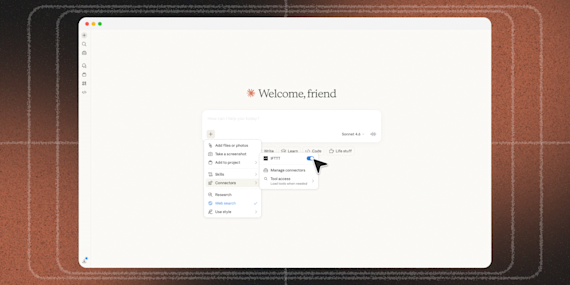
Ask ChatGPT to create Email Digest applets for you, right from your AI assistant, with IFTTT MCP.

Set up IFTTT MCP

Create your own Email Digest and Zoho Mail workflow

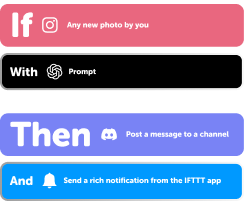
Create custom workflows effortlessly by selecting triggers, queries, and actions. With IFTTT, it's simple: “If this” trigger happens, “then that” action follows. Streamline tasks and save time with automated workflows that work for you.

7 triggers, queries, and actions

New Mail Received

Polling trigger
Polling Applets run after IFTTT reaches out to the trigger service and finds a new trigger event. These trigger checks occur every hour on Free, every 15 minutes on Starter, and every 5 minutes on Pro and Pro+.
This trigger fires on the reception of a new mail

New mail received with criteria

Polling trigger
Polling Applets run after IFTTT reaches out to the trigger service and finds a new trigger event. These trigger checks occur every hour on Free, every 15 minutes on Starter, and every 5 minutes on Pro and Pro+.
This trigger fires when you receive mail that satisfies the trigger fields

Add to daily email digest

Action
An action is the task your Applet carries out after the trigger occurs. It defines what happens as the result of your automation and completes the workflow.
This Action will add an item to your daily digest sent once a day at the time you specify.

Add to weekly email digest

Action
An action is the task your Applet carries out after the trigger occurs. It defines what happens as the result of your automation and completes the workflow.
This Action will add an item to your weekly digest sent once a week on the day and time you specify.

Save a draft

Action
An action is the task your Applet carries out after the trigger occurs. It defines what happens as the result of your automation and completes the workflow.
This action will save a draft

Send an Email

Action
An action is the task your Applet carries out after the trigger occurs. It defines what happens as the result of your automation and completes the workflow.
This action will send an email in ZohoMail

Send an email to yourself

Action
An action is the task your Applet carries out after the trigger occurs. It defines what happens as the result of your automation and completes the workflow.
This action will send an email to yourself

Add to daily email digest

Action
An action is the task your Applet carries out after the trigger occurs. It defines what happens as the result of your automation and completes the workflow.
This Action will add an item to your daily digest sent once a day at the time you specify.

Add to weekly email digest

Action
An action is the task your Applet carries out after the trigger occurs. It defines what happens as the result of your automation and completes the workflow.
This Action will add an item to your weekly digest sent once a week on the day and time you specify.

New Mail Received

Polling trigger
Polling Applets run after IFTTT reaches out to the trigger service and finds a new trigger event. These trigger checks occur every hour on Free, every 15 minutes on Starter, and every 5 minutes on Pro and Pro+.
This trigger fires on the reception of a new mail

New mail received with criteria

Polling trigger
Polling Applets run after IFTTT reaches out to the trigger service and finds a new trigger event. These trigger checks occur every hour on Free, every 15 minutes on Starter, and every 5 minutes on Pro and Pro+.
This trigger fires when you receive mail that satisfies the trigger fields

Save a draft

Action
An action is the task your Applet carries out after the trigger occurs. It defines what happens as the result of your automation and completes the workflow.
This action will save a draft

Send an Email

Action
An action is the task your Applet carries out after the trigger occurs. It defines what happens as the result of your automation and completes the workflow.
This action will send an email in ZohoMail

Send an email to yourself

Action
An action is the task your Applet carries out after the trigger occurs. It defines what happens as the result of your automation and completes the workflow.
This action will send an email to yourself

Build an automation in seconds!

You can add delays, queries, and more actions in the chat.

GET STARTED

How to connect to a Email Digest automation

Find an Applet using Email Digest and Zoho Mail

Find an automation to connect to, or create your own!

Connect IFTTT to your accounts

Securely connect the Applet services to your respective accounts.

Finalize and customize your Applet

Review trigger and action settings, and click connect. Simple as that!
Get started

Upgrade your automations with

  • Connect to more Applets

    Connect to more Applets

    Connect up to 20 automations with Pro, and unlimited automations with Pro+
  • Add multiple actions with exclusive services

    Add multiple actions with exclusive services

    Add real-time data and multiple actions for smarter automations
  • Get access to faster speeds

    Get access to faster speeds

    Get faster updates and more actions with higher rate limits and quicker checks

More on Email Digest and Zoho Mail

About Email Digest

This service allows you to create custom daily or weekly email digests packed with the information you care about.

Explore Email Digest

More integrations with Email Digest

About Zoho Mail

Zoho Mail is a secure and ad-free custom domain business email solution that helps teams ace business communication and everyday collaboration.

Explore Zoho Mail

More integrations with Zoho Mail

IFTTT helps all your apps and devices work better together

Get started for free