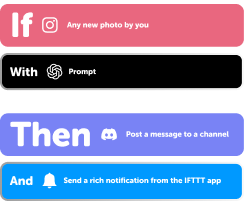



1 ready-made ChatGPT and Threads Applets
Turn one on, or build your own. IFTTT can look up "Get followers count" on Threads to use in an automation.
Automate ChatGPT and Threads from your AI assistant
Ask Copilot to run ChatGPT queries for you, right from your AI assistant, with IFTTT MCP.
Set up IFTTT MCPCreate your own ChatGPT and Threads workflow
Create custom workflows effortlessly by selecting triggers, queries, and actions. With IFTTT, it's simple: “If this” trigger happens, “then that” action follows. Streamline tasks and save time with automated workflows that work for you.
12 triggers, queries, and actions

Any new post by you
New carousel post by you
New image post by you
New text post by you
New video post by you
Get followers count
Prompt
Create a carousel (multiple media) post
Create a link post
Create a text post
Create a video post
Create an image post
Any new post by you
Create a carousel (multiple media) post
Create a link post
Create a text post
Create a video post
Create an image post
Get followers count
New carousel post by you
New image post by you
New text post by you
New video post by you
Prompt
Build an automation in seconds!
You can add delays, queries, and more actions in the chat.

How to connect to a ChatGPT automation
Find an Applet using ChatGPT and Threads
Find an automation to connect to, or create your own!Connect IFTTT to your accounts
Securely connect the Applet services to your respective accounts.Finalize and customize your Applet
Review trigger and action settings, and click connect. Simple as that!Upgrade your automations with
-
Connect to more Applets
Connect up to 20 automations with Pro, and unlimited automations with Pro+ -
Add multiple actions with exclusive services
Add real-time data and multiple actions for smarter automations -
Get access to faster speeds
Get faster updates and more actions with higher rate limits and quicker checks
More on ChatGPT and Threads
About ChatGPT
IFTTT's ChatGPT can leverage your trigger's ingredients to do... almost anything. Generate answers to questions or pass along a personalized response using ingredients.
About Threads
Say more with Threads — Instagram’s text-based conversation app.
Threads is where communities come together to discuss everything from the topics you care about today to what’ll be trending tomorrow. Whatever it is you’re interested in, you can follow and connect directly with your favorite creators and others who love the same things — or build a loyal following of your own to share your ideas, opinions and creativity with the world.