3 ready-made Google Assistant and Google Docs Applets
Turn one on, or build your own. Google Assistant can start an automation with "Activate scene", and IFTTT can then run "Append to a document" on Google Docs.-
Append to Google Docs when you say a Google Assistant scene commandby
-
Activate Google Assistant scene to control Philips Hue lights and create a Google Docby
-
Create a Google Docs file when you say a Google Assistant commandby
Automate Google Assistant and Google Docs from your AI assistant
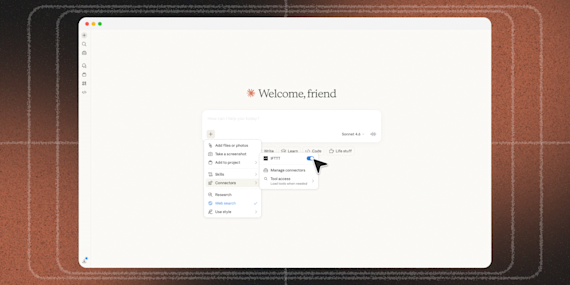
Ask ChatGPT to create Google Assistant voice command applets with IFTTT MCP.
Set up IFTTT MCPCreate your own Google Assistant and Google Docs workflow
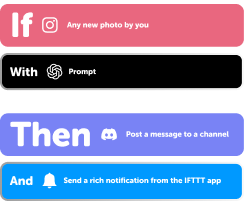
Create custom workflows effortlessly by selecting triggers, queries, and actions. With IFTTT, it's simple: “If this” trigger happens, “then that” action follows. Streamline tasks and save time with automated workflows that work for you.
5 triggers, queries, and actions
Activate scene
New document added
History of documents added
Append to a document
Create a document
Activate scene
Append to a document
Create a document
History of documents added
New document added
Build an automation in seconds!
You can add delays, queries, and more actions in the chat.

How to connect to a Google Assistant automation
Find an Applet using Google Assistant and Google Docs
Find an automation to connect to, or create your own!Connect IFTTT to your accounts
Securely connect the Applet services to your respective accounts.Finalize and customize your Applet
Review trigger and action settings, and click connect. Simple as that!Upgrade your automations with
-
Connect to more Applets
Connect up to 20 automations with Pro, and unlimited automations with Pro+ -
Add multiple actions with exclusive services
Add real-time data and multiple actions for smarter automations -
Get access to faster speeds
Get faster updates and more actions with higher rate limits and quicker checks
More on Google Assistant and Google Docs
About Google Assistant
Create custom voice commands for your Google Assistant. Available on Android, iOS and Google Home devices. Get more details here.
About Google Docs
Google Docs brings your documents to life with smart editing and styling tools to help you easily format text and paragraphs. Applets let you create new documents, add to existing ones, or monitor specific folders for when new docs are added.