Some of us might remember the world's first glimpse into the future of smart home technology, maybe with the original Clapper lights or the first digital thermostats. Today, smart homes aren’t some futuristic idea; they’re already an integral part of our lives. From smart lights to security cameras and speakers, more devices than ever are connected and controllable from your phone.
With so many advantages to using these systems, many homeowners rush to add multiple devices to the home all at once. The challenge now becomes how to manage it all without things getting messy.
That’s where smart home apps come in. Instead of juggling five different apps for five different devices, these platforms bring everything into one place. Even better, when you combine them with automation tools like IFTTT, your home starts working for you automatically.
In this guide, we’ll break down the best smart home apps available today, what makes each one useful, and how they fit into a more automated setup. We'll also cover how to set up your smart home with IFTTT and look at how users across the globe use automation to bring their smart home vision to life.

First, what is a smart home?
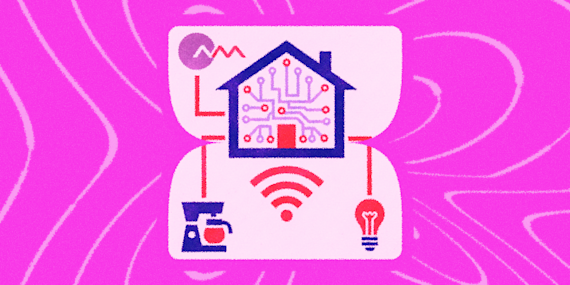
At the most basic level, a smart home is just a group of connected devices that you can control remotely. That could mean adjusting your thermostat from your phone, turning off lights with your voice, or getting alerts when someone approaches your front door.
These devices typically connect to your home's Wi-Fi and also to each other, by Bluetooth or other means. Upfront cost is often higher compared to a traditional system, and many choose to have smart home devices professionally installed to remove any possible friction in the setup process. However, once they are in place, smart homes have been proven to be more convenient and energy efficient compared to having an assortment of manual devices.
But the real value shows up when those devices start working together.
Instead of manually controlling everything, you can create workflows that turn on the lights when you get home, adjust the temperature based on the time of day, and have smart home security systems notify you instantly when something happens. Sounds pretty awesome, right?
Choosing the right devices is the first step in building your ultimate smart home. We've covered everything you need to know about the devices themselves in our smart home guide here. In this article, we'll look at apps that can unify all of your devices, giving you even more control over how your home operates.
What to look for in a smart home app
Not all smart home apps are built the same, and the differences matter more as your setup grows.
The first thing to pay attention to is compatibility. Some apps are built around specific ecosystems, while others try to connect everything. If your devices don’t integrate well, you’ll end up constantly switching between apps, and that's no fun.
Smart home energy management is another factor to include in your search for the perfect app. Since these devices use much more power than manual ones, it's a good idea to choose an app that lets you keep an eye on energy usage and toggle between low power modes if needed.
Ease of use is just as important. A powerful app doesn’t help much if it’s frustrating to navigate. The best ones make it easy to set up routines, check device status, and make quick adjustments without digging through menus.
Automation is where things really start to separate. Some apps offer simple scheduling, while others allow more advanced triggers based on location, time, or device activity. When paired with IFTTT, this becomes even more flexible.
Finally, privacy and security should always be part of the decision. You’re connecting real-world devices inside your home, so strong permissions and data controls matter more than they might in other apps.
The best smart home apps for automation and control
We'll now take a look at some of the top smart home management apps and which users each tool appeals to. Pro tip: click on any of the Applet bubbles below each section to enable your first automation and learn more about how IFTTT helps connect all of your favorite devices.
1. Google Home
If you want something that just works out of the box, Google Home is one of the easiest ways to get started. It connects with a wide range of devices, notably anything in the Google or Nest ecosystem.
What stands out is how simple it feels to use. Setting up routines like “good morning” or “leaving the house” takes just a few steps, and everything is clearly laid out.
From an automation standpoint, Google Home becomes much more powerful when paired with IFTTT. Instead of just triggering routines manually, you can connect events from other apps like location changes or calendar events. Google Home is a super strong option if you want a balance between ease of use and automation potential.
-
Lower Neo Smart Blinds when Google Nest temperature rises
 2
2
-
-
Get IFTTT notification when Google Nest temperature rises
185
-
-
Turn off Google Nest Thermostat with button press
7
-




2. Homey
Homey is a lesser-known but very capable smart home platform that focuses heavily on automation without overwhelming the user. It’s designed to work with a wide range of devices while keeping the interface easy to use, which makes it a strong alternative to voice-first ecosystems.
What makes Homey stand out is its visual automation system. Instead of digging through menus or writing complex rules, you can build automations using a simple flow-based interface. This makes it much easier to create logic-based automations without needing technical experience (something we love to see here at IFTTT).
Homey also supports a wide range of protocols (like Zigbee, Z-Wave, and Wi-Fi), which means it can connect to devices across different brands without locking you into a single ecosystem. That flexibility makes it one of the best choices for those who have devices from many different brands.
-
Get daily Homey smart plug power report
23
-
-
Make Homey your personal news anchor
82
-
-
Let Homey speak when your laundry is done
48
-




3. Apple Home
Apple Home (HomeKit) takes a classic Apple approach to smart home by focusing heavily on privacy and security. If you’re already using iOS devices, this app fits naturally into that ecosystem.
Like your iPhone, everything is designed to feel clean and consistent, and automations called “Scenes” are easy to build and manage. You can group actions together like dimming lights, locking doors, and adjusting temperature in one tap.
Apple also emphasizes local processing and encryption, which makes it appealing if you’re concerned about how your data is handled. When paired with IFTTT and Pushcut, you can extend HomeKit beyond Apple’s ecosystem, connecting it to other apps and services that wouldn’t normally integrate.
-
Run a HomeKit scene when a Homey Flow starts.
-
-
Run HomeKit scene when you exit an area
-
-
Run a HomeKit scene when the Button widget is pressed
-
-
Activate HomeKit scenes with Google Assistant via Pushcut
-



4. Samsung SmartThings
SmartThings is built for users who want to connect everything literally in one place. It supports a massive range of devices, from Samsung appliances to third-party smart home products.
Automation is also a strong point here. You can create detailed routines based on time, device status, or environmental changes. When you add IFTTT into the mix, those automations can extend beyond your home, pulling in data from apps, notifications, or online services.
If your smart home setup is growing quickly, SmartThings gives you room to scale without hitting compatibility limits.
-
Turn on SmartThings device with a Knocki gesture
297
-
-
Turn off SmartThings light at weekday bedtime
165
-
-
Log SmartThings arrivals to Google Sheets
125
-
-
Turn on SmartThings device when SkyBell HD detects motion
117
-




5. Hubitat Elevation
Hubitat takes a local-first approach to smart home control. Automations run directly on the hub itself instead of routing through the cloud, which means faster response times and a system that keeps working even if your internet goes down.
It supports Zigbee, Z-Wave, and Wi-Fi devices, so it isn't locked into a single ecosystem the way some other platforms are. It's built with more technically-inclined users in mind, but the payoff is a setup that's genuinely yours to configure down to the last detail.
Paired with IFTTT, Hubitat extends well past your own devices. You can trigger a Hubitat device from a Google Assistant voice command, tie it to the weather, sync it with your music, or fold it into a home security routine alongside cameras like Ring, all without touching a line of code.
-
Turn on Hubitat device when Google Assistant scene is activated
-
-
Turn on Hubitat device when it starts snowing
-
-
Follow a Spotify playlist when a Hubitat device turns on
-
-
Turn on Hubitat devices and send notification when Ring motion detected
-




Building a smart home manager app with automation
Most people start by controlling devices manually, by tapping buttons in an app or using voice commands. Although this is pretty neat, you can squeeze much more functionality out of your smart home devices with some automation.
Instead of telling your lights to turn on, they turn on when you arrive home. Instead of checking your security camera, you get notified when something happens. Instead of adjusting your thermostat, it adapts based on your schedule.
With IFTTT, these automations aren’t limited to your home devices either. You can connect over 1000 different apps, such as weather services, calendars, notifications, and much more. The result is a system that feels less like a collection of gadgets and more like something that actually works with your daily routine.






How to automate your smart home with IFTTT
IFTTT stands for "If This Then That", and is our free and powerful tool for automating all of the tools you know and love. IFTTT supports over 1000 apps and is adding more every day. With just a few clicks, you can connect smart home devices from Ring, Nest, Apple, Samsung, and more to other tools to craft your workflow exactly how you want it.
At its core, IFTTT uses pre-packaged bits of logic called Applets to automate different processes. Our platform's simplicity makes it accessible for all skill levels, including absolute beginners.
Setting up IFTTT is straightforward:
- Create a free IFTTT account
- Connect the apps you already use
- Browse or build Applets that match your workflow
Our community had built millions (yes, really) of Applets that are ready to be enabled in just a few clicks. If you'd like to build and customize your own Applet, our intuitive Applet builder lets you do just that. Once you are used to it, you can include all sorts of work-ins, like time and date conditions, filter code, and much more to make complex workflows.
For a full guide on getting started with IFTTT and building your first Applet, check out our full walkthrough here.
Smart home management made easy with IFTTT
Smart homes are often all about convenience, but with a little effort, you can craft full-blown comfort systems that save time, reduce friction, and simplify everyday routines. Getting there is much easier when you've got the right smart home management app, and we hope this guide has given you some insight into potential options.
The best app for you depends on how you want to use your space. Some people prioritize simplicity, others want deep customization, and many fall somewhere in between. We recommend trying out different tools until you find one that truly sticks.
What makes the biggest difference isn’t just the app itself, though; it’s how you connect everything together. With IFTTT, your smart home stops being something you control manually and starts becoming something that runs in the background, supporting how you already live.
To see how millions of people revolutionize their smart homes with IFTTT, click the button below and get started for free!