If you're self-managing a short-term rental, you already know the drill: a booking comes in, and suddenly you need to unlock the door for check-in, adjust the thermostat, turn on the lights, and remember to lock everything back up after checkout. Doing that manually for every reservation gets old fast, especially if you're juggling more than one listing.
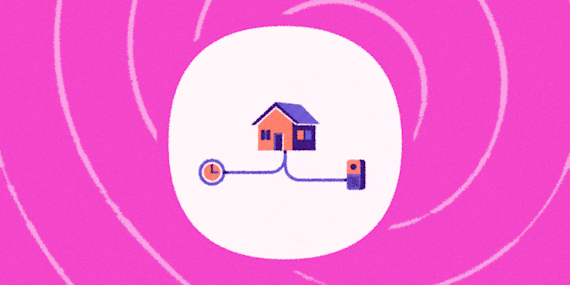
The good news is you don't need an expensive property management platform or an entire team to automate your short-term rental. Airbnb's calendar can feed directly into IFTTT, and from there you can trigger almost any smart device in your rental: locks, thermostats, lights, plugs, and more. If you don't already have an account, you can sign up for IFTTT free in about a minute, you'll need it to build any of the Applets below. Here's how the whole pipeline fits together.

How to sync your Airbnb calendar with IFTTT
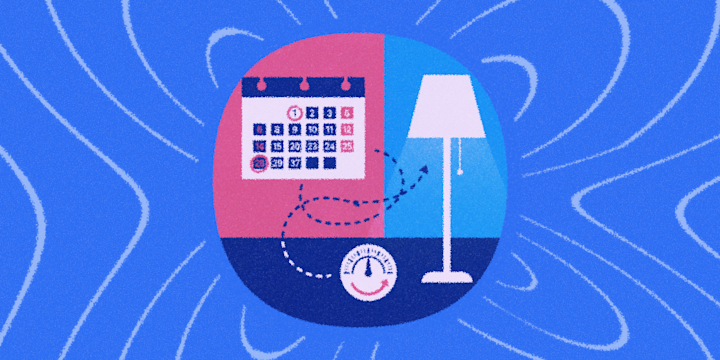
Airbnb gives you a calendar export: an iCal feed of your reservations that updates automatically. Once your bookings are flowing into a calendar app that IFTTT can read (Google Calendar or iOS Calendar), you can build automations off new calendar events just like you would off any other trigger.
So the workflow looks like this:
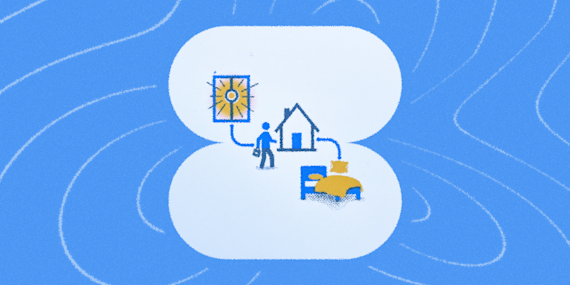
Airbnb calendar (iCal export) → Google Calendar or iOS Calendar → IFTTT Applet → Smart device action
Step 1: Export Your Airbnb calendar
- Log in to Airbnb and go to your listing's calendar.
- Open Availability settings and find Sync calendars (sometimes labeled Connect calendars or Export calendar).
- Copy the iCal (.ics) link Airbnb generates. This link updates automatically whenever a reservation is added, changed, or canceled, so you don't need to re-export it.
Keep that link private. Anyone with the URL can see your reservation dates.
Step 2: Import the Feed into Google Calendar or Apple Calendar
IFTTT builds its calendar Applets on top of Google Calendar and Apple Calendar, so you'll route the Airbnb feed into one of these first.
For Google Calendar: 1. In Google Calendar, click the + next to "Other calendars" and choose From URL. 2. Paste your Airbnb iCal link and click Add calendar. 3. Give the new calendar a distinct name, like "Airbnb Bookings," so it's easy to reference when you're building Applets.
For iOS Calendar: 1. Go to Settings → Calendar → Accounts → Add Account → Other. 2. Choose Add Subscribed Calendar and paste the Airbnb link.
One thing to know: calendar subscriptions imported this way don't update instantly. Airbnb refreshes exported calendars roughly every 3 hours (you can force a manual refresh from your Airbnb calendar's "Connect to another website" section). Treat this as a near-real-time sync rather than an instant one. This is something to keep in mind for check-in-day automations that need precise timing.
A quick note if you also host Experiences or Services: Airbnb offers a separate one-click "Connect" option that links Experiences/Services bookings straight to Google Calendar via OAuth, no iCal link needed. That flow only applies to Experiences and Services listings, though. If you're renting out a home or room (the case for most lock/thermostat/light automations), the iCal export above is still the method Airbnb uses.
Step 3: Build the IFTTT Applet
With your bookings now living in Google Calendar (or Apple Calendar), you can use New event added or Event starts as your trigger and connect it to whatever smart device service you use: Google Calendar + Apple Calendar.
-
Set Google Nest temperature range before an Airbnb/VRBO booking begins in Google Calendar
-
-
Set Google Nest temperature range before an Airbnb/VRBO booking begins using Microsoft Calendar
-



Connect your smart home devices
Your Applets can integrate your calendar and any smart home devices you have in your rental property. IFTTT has over 1000 connected services, including hundreds of the most popular smart home and IoT devices, from smart locks and thermostats to lights. You can create a cozy welcome environment by updating the temperature and lighting when someone arrives. Here's a list of popular smart home devices to get your started:
-
 Arlo
Arlo
-
 August
-
 ecobee
-
 EZVIZ
EZVIZ
-
 Google Assistant
-
 Google Nest Thermostat
-
 Philips Hue
-
 Kwikset Smart Locks
-
 MyQ
MyQ
-
 SmartThings
-
 Wyze
Wyze
-
 Yeelight
Calendar and rental automations worth trying
There are endless ways to automate your Airbnb management with your calendar, and here are a few examples to help you get started:
Pre-arrival thermostat
Pre-heat or pre-cool your home based on the weather when a rental begins. You can use filter code and a weather query to change the temperature that the Applet brings your home to, warmer in the winter and a little cooler in the summer. This is really a pleasant touch for your guests after a long day of travel.
-
Set Google Nest temperature range before an Airbnb/VRBO booking begins in Google Calendar
-
-
Set Google Nest temperature range before an Airbnb/VRBO booking begins using Microsoft Calendar
-
Turn the entry lights on
When a booking has started, this Applet can turn the lights on in your rental's entrance to make it easier for guests to navigate the new space. You can configure an Applet to utilize any calendar or smart light service.

Checkout auto-lock
Create a checkout flow for when an Airbnb booking ends. This automation can lock your door, make sure the garage door is closed, revert the thermostat to eco-mode, and turn off all the lights. This is a perfect way to save money and reduce wasted energy on an empty home.

Simple rental automations save you time
While there is currently no native Airbnb-to-IFTTT connection, the iCal export makes it easy to put the pipeline together: share bookings into Google Calendar or iOS Calendar, then let IFTTT handle the rest. From there, unlocking doors, adjusting the thermostat, and flipping on the lights for check-in can all run without you lifting a finger. The calendar becomes the single source of truth your entire smart home reacts to.
Here are a few more smart home Applets to inspire your next rental automation.
-
Unlock Kwikset when Airbnb check-in starts
-
-
Get IFTTT notification before Google Calendar events
 7.04k
7.04k
-
-
Set ecobee to Vacation after Airbnb checkout
-
-
Set Philips Hue welcome scene at Airbnb check-in
-



Discover more ways to automate your Google Calendar
Airbnb and VRBO hosts are not the only people who can save time with IFTTT's Google Calendar automations. Explore what else you can do with calendar Applets in our Google Calendar guide. and check out other popular Applets below.
-
Add new iOS Calendar events to Google Calendar
29.9k
-
-
Add Google Calendar event when a Todoist task is completed
632
-
-
Log your work hours automatically in Google Calendar
158k
-
-
Add Weather Underground daily forecast to Google Calendar
71.6k
-




Automate your rental in minutes
None of this takes a property management subscription or a single line of code, just your existing Airbnb calendar, an IFTTT account, and whatever smart devices you already have plugged in. Set the pipeline up once, and every booking that comes in afterward runs your rental's whole check-in and checkout routine on its own.
Ready to put your rental on autopilot? Try IFTTT today for free and connect your first Applet.
FAQs
Do you need a smart home hub?
Not necessarily. Many locks, plugs, and thermostats connect to IFTTT directly through their own service (SwitchBot, TP-Link Kasa, ecobee, etc.). If your specific lock doesn't have direct IFTTT support, you can often route through a hub like SmartThings or Google Home, which then exposes the device to IFTTT.
Can I sync my Airbnb calendar with Google Calendar automatically?
Yes, via the iCal export link described in Step 1. It's a one-time setup; new reservations, cancellations, and changes will keep flowing in without you touching it again.
Will this work if I also list on VRBO or Booking.com?
Yes, and it's worth doing. Import each platform's iCal feed into its own subcalendar (or a shared "Bookings" calendar), and your IFTTT Applets will fire off any new event regardless of which platform it came from. Just be aware that cross-platform calendar syncing between Airbnb, VRBO, and Booking.com can lag by a few hours, since none of them push updates instantly to each other.
Can I share this calendar with my cleaner?
Yes. Once your Airbnb calendar is inside Google Calendar, you can share that specific calendar (view-only) with a cleaner or co-host, and even build a separate IFTTT Applet that texts them automatically after a checkout event ends.
Does this replace a property management system?
For one or two listings, this setup covers most of what hosts actually need: automated access, climate control, and notifications, without a subscription. If you're managing many units, a dedicated PMS with a real API will scale better than IFTTT's polling-based calendar triggers.